VanillaHTML
Website accessibility is often overlooked, despite being an incredibly important aspect of web-development. I think this is because of a perceived notion that it's difficult to learn, or at least there's a lot to learn.
While that may be true in some more advanced cases, the basics of accessible markup is actually very simple and it has more benefits than a lot of people realize.
Accessibility isn't just about making your website accessible for users with disabilities, but it's also about structuring your website in a way that makes it easy for bots to understand.
When we think about bots it's often a bad thing, but we should also remember that there are good and bad bots out there. For example, Google uses bots to crawl your website and index it within their search results. If it's hard for the bot to understand what your website is about, then it's harder for Google to list your website in relevant search results.
Website accessibility has a direct impact on Search Engine Optimization SEO, and as a result it will have an impact on new search opportunities like Generative Engine Optimization GEO.
What is VanillaHTML and How Does it Help?
VanillaHTML is actually a CSS file that redesigns default HTML in a way that makes it easy to see what your markup is actually doing.
It's intended purpose is to help beginners learn the fundamentals of semantic markup.
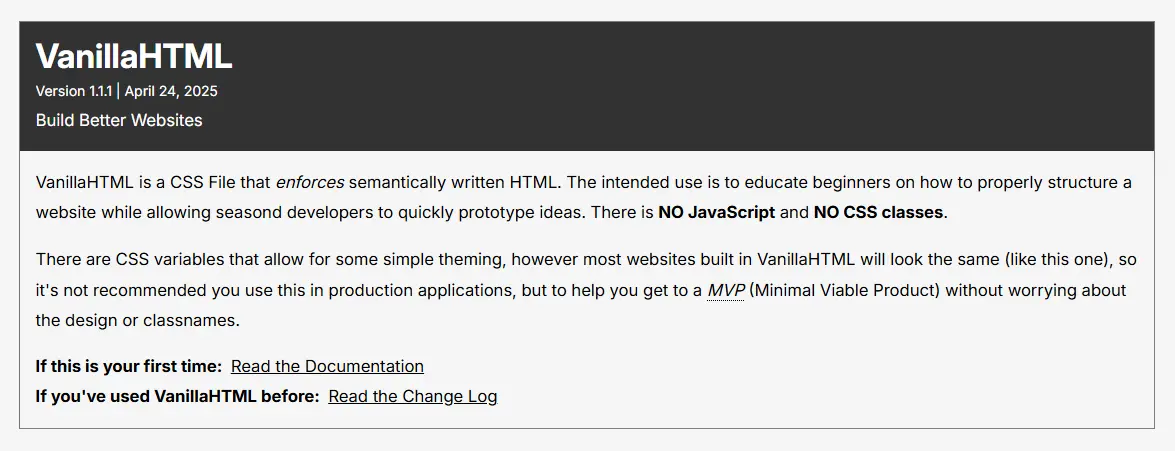
In the example above the code looks just like generic HTML. It has a section, a header, and an hgroup element. The code looks like this:
    <section>
        <header>
            <hgroup>
                <h2>VanillaHTML</h2>
                <small>Version 1.1.1 | April 24, 2025</small>
		<p>
		    Build Better Websites
		</p>
            </hgroup>
        </header>
    </section>
Now the caveat with VanillaHTML is that it's quite verbose. In this example the CSS enforces us to have a header element within a section. This is to get people used to the fact that a section element should always have a header (as in h1, h2, h3...) but not necessarily the header element itself. For the purposes of education I thought it would be beneficial to have the header element enforced so people get used to this idea of "sections have headers"
Here's the CSS for this:
    section {
      border: var(--section-border);
      display: grid;
      gap: 1rem;
      margin-block: 4rem;
    }

    section:first-child {
      margin-block-start: 2rem;
    }

    section > :last-child {
      margin-block-end: 1rem;
    }

    section > header {
      background: var(--surface-dark);
      color: var(--text-inverse);
      padding: 1rem;
    }
Future Plans for VanillaHTML
This project definitely has a long way to go to be a great learning tool. The documentation only shows examples and expects the user to check MDN documentation as they go along. This could really be improved with integrated lessons on the website.
I also don't teach anything about attributes for elements, this is strictly contained to markup so people can visually understand what their semantic markup is doing.
I'm planning on going back through and making the CSS file a full on helper and doing things like adding red borders when something is wrong so that the user knows in real time that there is an issue and continues to reinforce good markup for websites.